How to Use AnoSim
AnoSim lets you buy instant eSIM data plans and Virtual Numbers for SMS verifications with crypto top-ups and no KYC. Works via Telegram mini app or web; one balance for both.
⚠️ Disclaimer: Use responsibly and within local laws/ToS.
🚀 Step 1: Open AnoSim
- Telegram Mini App: t.me/accsim_bot
- Web App: sim.anoncult.com
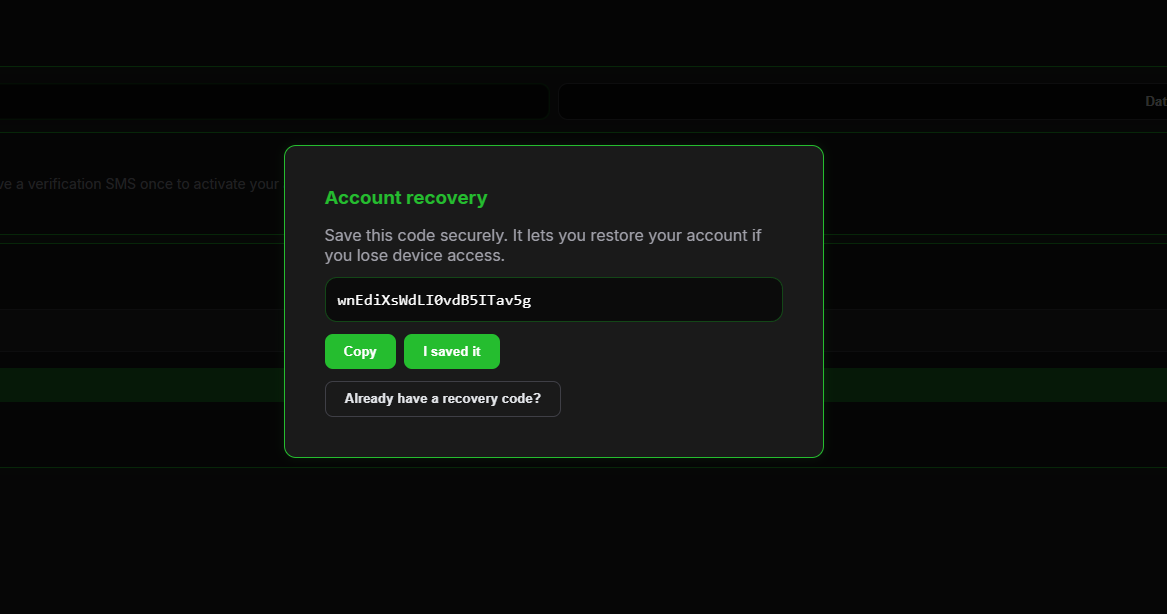
On first open, an anonymous account is created and a recovery code is shown. Save it—it’s the only way to restore on a new device.
💳 Step 2: Top up with crypto (no KYC)
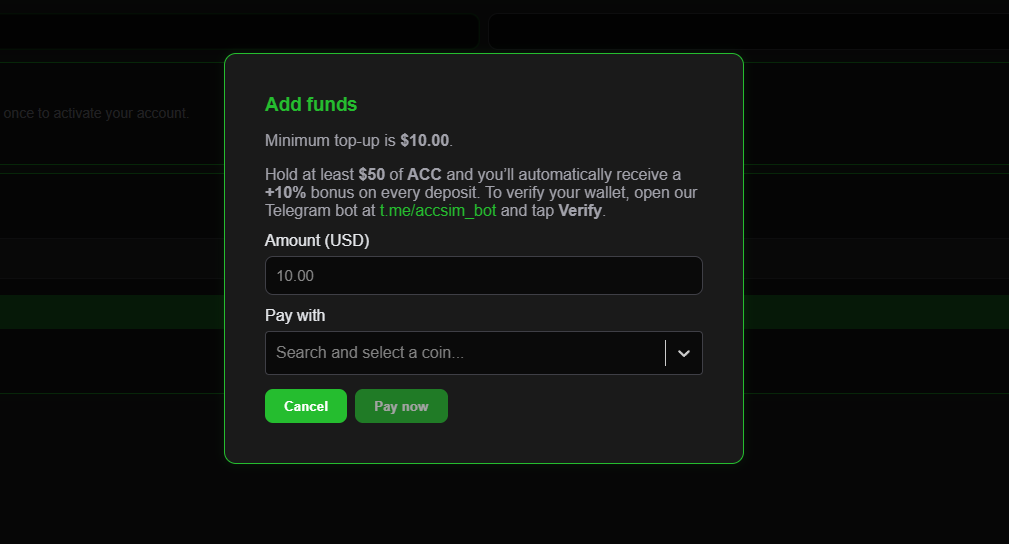
- Open Balance.
- Choose a deposit method and amount (USD).
- Send crypto to the one-time address.
- USD balance updates after confirmation.
Bonuses
- +10% Holder Bonus for ≥ $50 ACC (verify in bot).
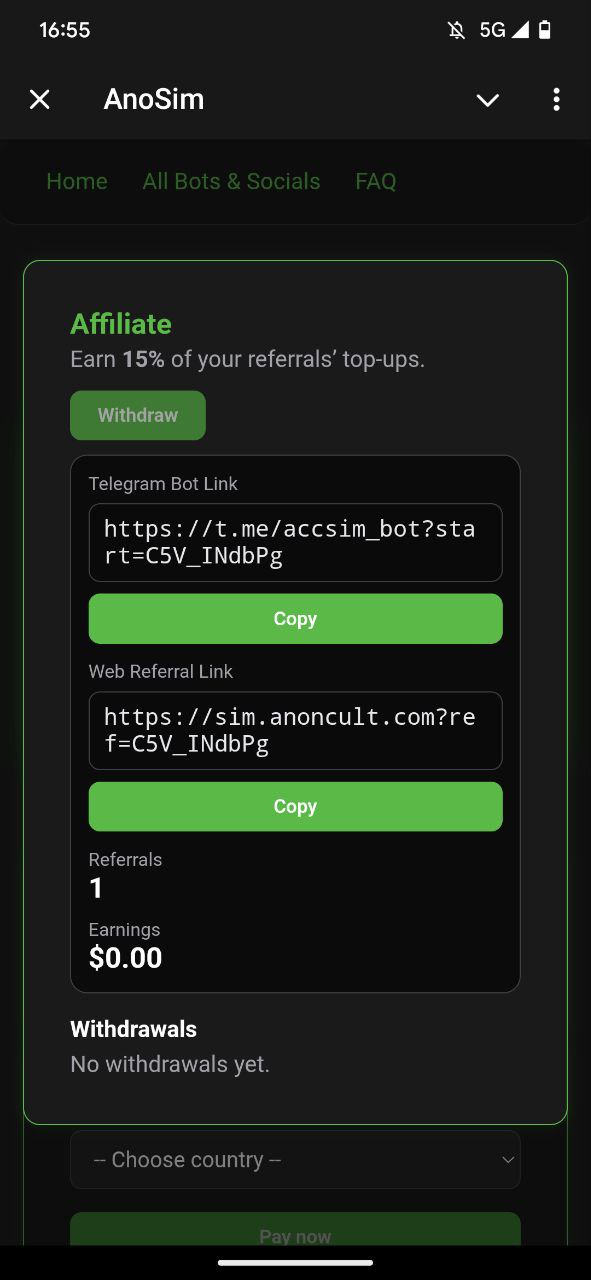
- Affiliate 15% on referred top-ups.
📡 Step 3A: Buy a data eSIM
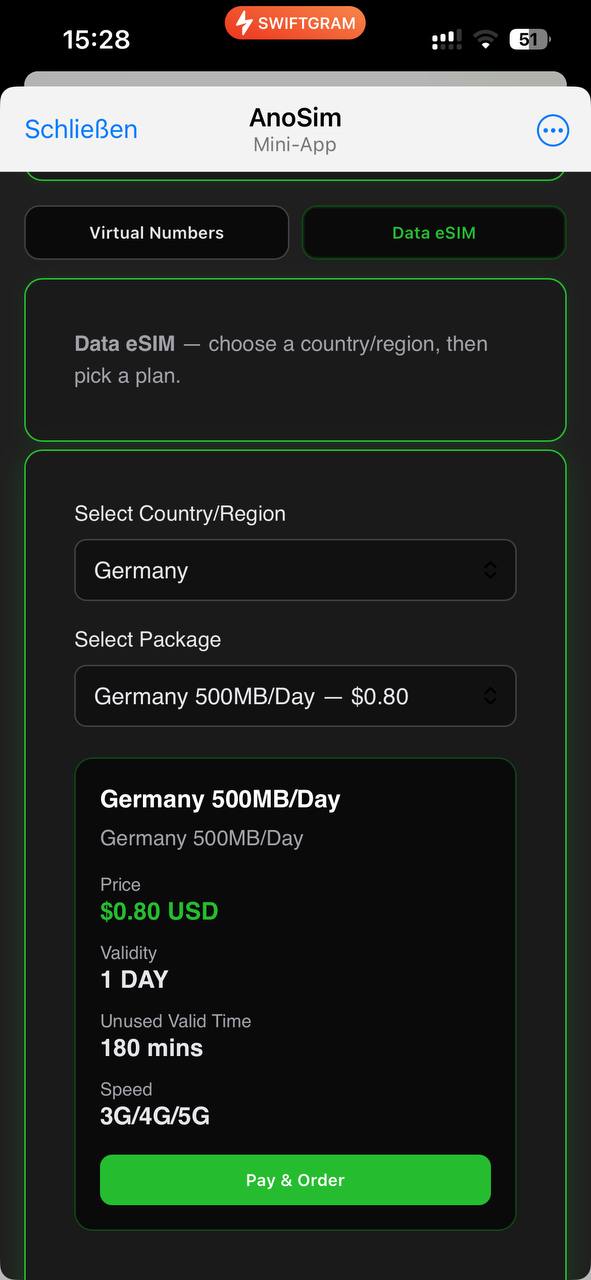
- Go to Data eSIM.
- Pick country/region (or multi-country).
- Select package (data + validity).
- Pay from balance—your eSIM is issued instantly.
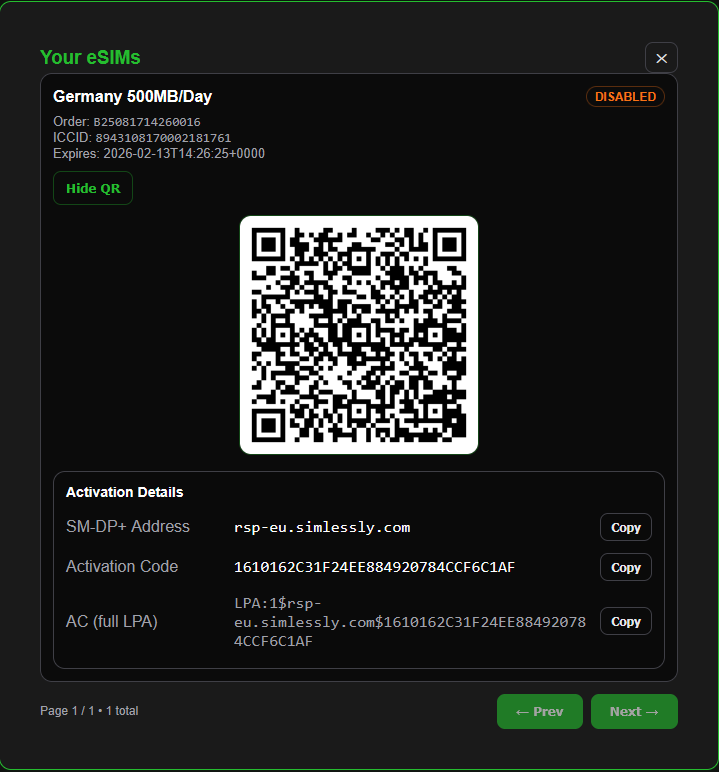
You get a QR code, plus SM-DP+ and activation code for manual install.
Install the eSIM
- QR (iOS/Android): Settings → Cellular/Mobile → Add eSIM → scan.
- Manual: Enter SM-DP+ and Activation Code.
- Set APN if provided. Data can take 15–30 mins to come online; enable Data Roaming when traveling.
☎️ Step 3B: Get a Virtual Number (SMS codes)
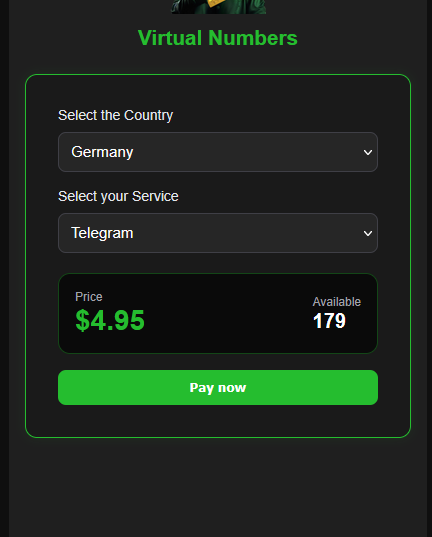
- Go to Virtual Numbers.
- Choose country (optionally target service).
- Buy with your balance.
- Use the temporary number to receive verification SMS inside AnoSim.
These are short-term numbers; some services block VoIP ranges—try another country/provider if needed.
📊 Step 4: Manage & Track
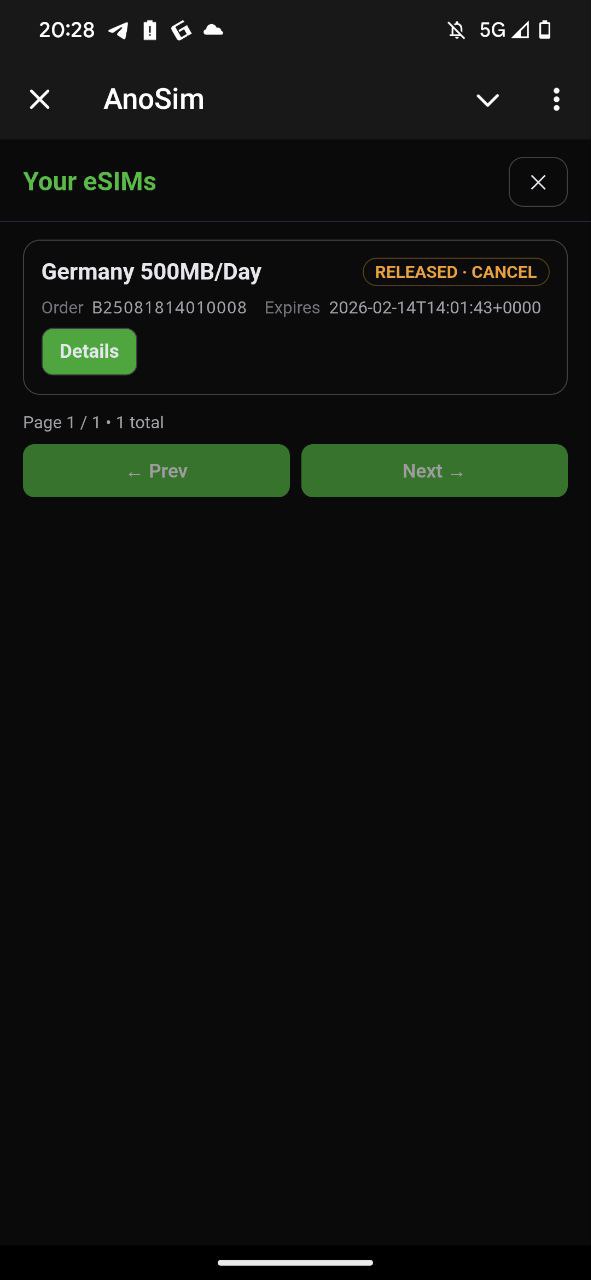
- My eSIMs / Numbers: status (ENABLED/IN_USE/EXPIRED), data usage, remaining quota, expiry, and re-download of QR/SM-DP+/Activation Code.
- Expired/revoked eSIMs are auto-cleaned.
🔐 Recovery & Sync
- Store the recovery code safely.
- Restore: AnoSim → Restore Account → paste the code to sync balance, eSIMs, and numbers. Losing the code means the account can’t be recovered.
✅ Quick Summary
| Step | Action |
|---|---|
| Open AnoSim | Telegram or Web |
| Create anon account | Save recovery code |
| Top up | Crypto → USD balance |
| Choose product | Data eSIM or Virtual Number |
| Use it | eSIM: scan QR / manual · Number: receive SMS |
| Track | My eSIMs / Numbers |
💵 Earn & Save
- Affiliate 15%: share your personal referral link.
- Holder Bonus +10%: hold ≥ $50 ACC and verify.
🧰 Troubleshooting
- No data after install: wait 15–30 mins, enable Data Roaming, check APN, toggle airplane/reboot.
- QR won’t scan: enter SM-DP+ + Activation Code manually.
- SMS not received: some services block virtual ranges—try another country/provider; ensure full international format; request resend.
- Can’t restore: double-check recovery code; if lost, it’s unrecoverable by design.
📌 Notes & Compatibility
- eSIM works on most modern iPhone/Android/tablets that support eSIM.
- Use virtual numbers in line with each service’s ToS.
- eSIM revocations are non-refundable once issued.
- No KYC; still practice good OPSEC (VPN, separate profiles, etc.).
🔗 Start Now
- 🤖 Bot: t.me/accsim_bot
- 🌐 Web: sim.anoncult.com