AnoCard Tutorial
🔒 Buy virtual credit cards with crypto — no KYC 🔒
AnoCard lets you buy VCCs (virtual credit cards) with cryptocurrency. Use it from Telegram (miniapp) or the web. Choose your card type and amount, pay with your preferred crypto, and receive your card by email. Use the card with Google Pay, Apple Pay, or anywhere cards are accepted. No KYC required.
What you can do
- Buy VCCs — Wide selection of card types and denominations (amounts shown per card).
- Pay with crypto — Multiple tokens and networks; select your coin on the order page.
- No KYC — Anonymous and private.
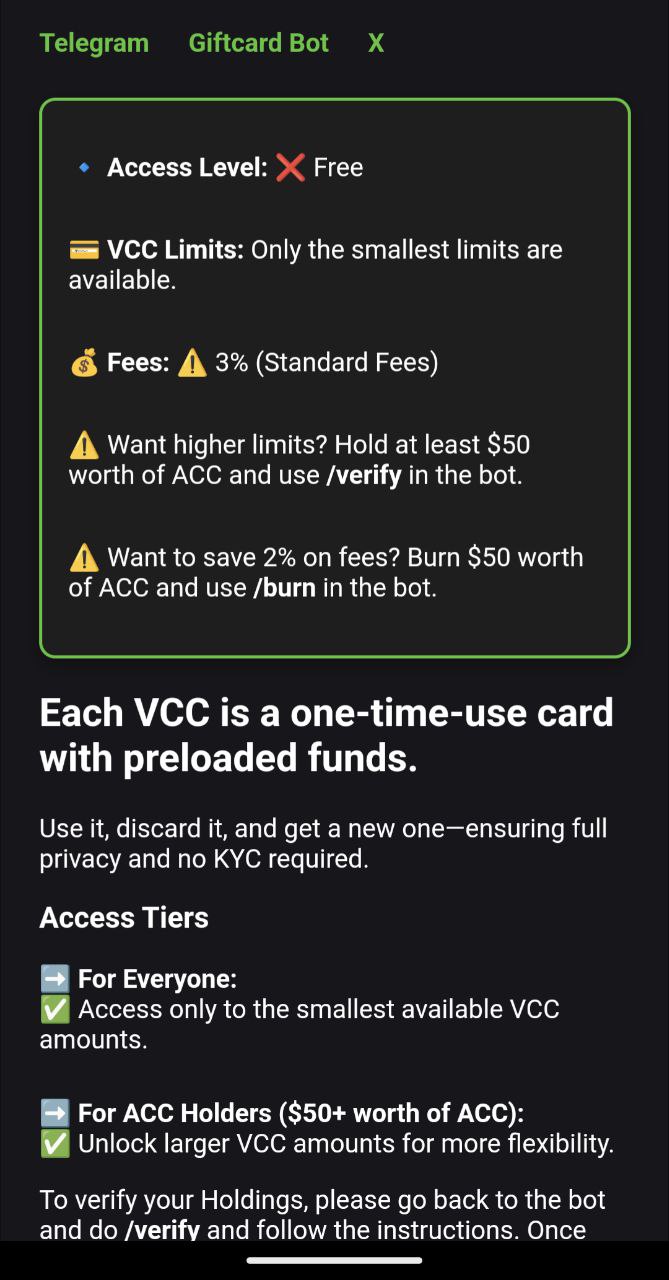
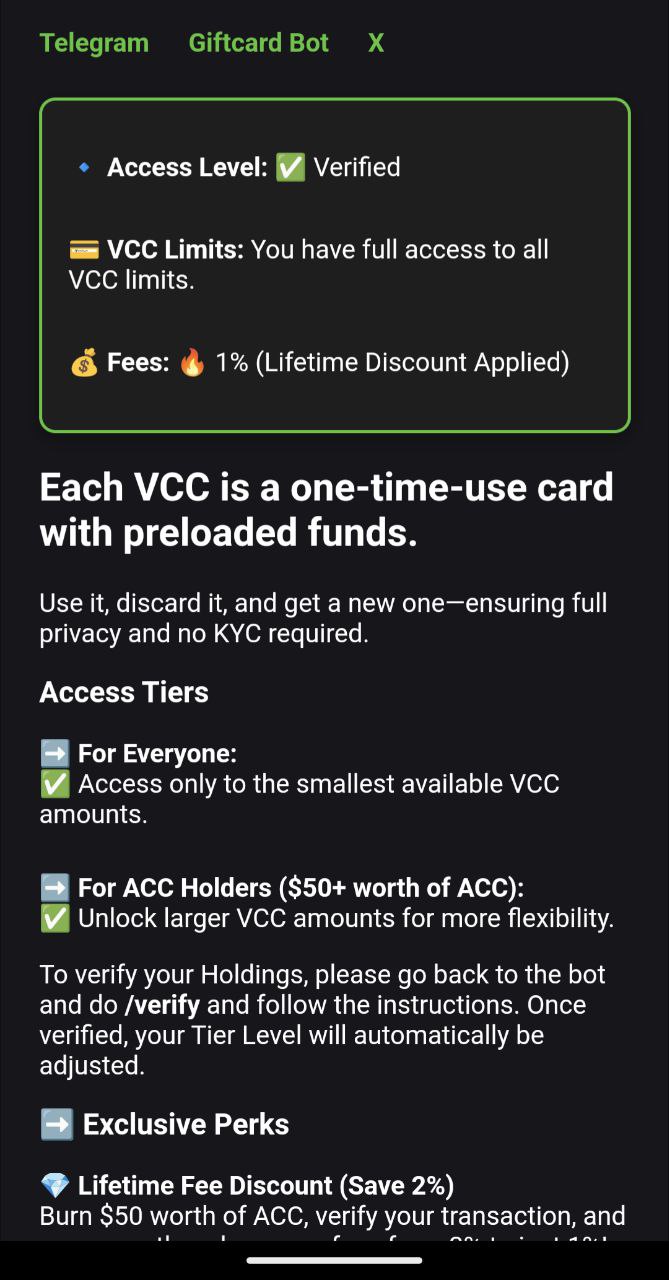
- Verified users — Hold at least $50 ACC and verify to get cheaper prices and fees (see Referral & verification below).
- Refer friends — Earn a share of their orders in ACC (see Referral system).
Where to use AnoCard
- Telegram: Open AnoCard Bot, tap Start, then tap the Visit button to open the miniapp inside Telegram.
- Web: Use the AnoCard web app (link from our Telegram community or official channels). You’ll need to log in (email/password) to browse and order.
Use only links from our official channels.
How to buy a card (step by step)
1. Open the app and check your status
- Telegram: Open the bot → Visit to open the miniapp.
- Web: Log in to the web app.
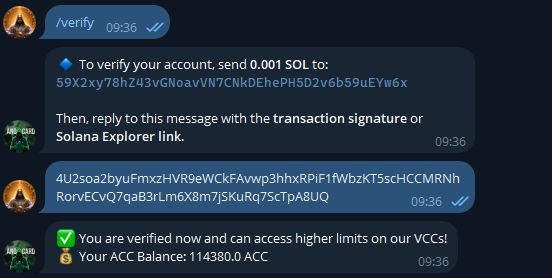
On the home screen you’ll see Your Status: Verified or Unverified. Verified users (hold $50 ACC and verify) get cheaper issuing fees, maintenance, and top-up prices. If you’re unverified, you can tap Verify yourself to start verification (or use /verify in the bot).
2. Browse and open a card
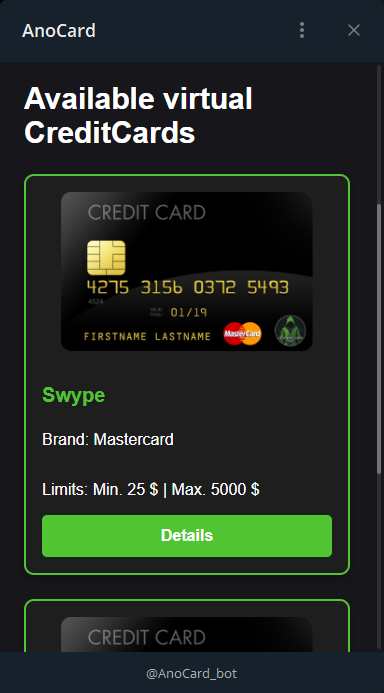
- The home page shows a grid of available VCCs (card image, brand, fees, limits, features).
- Use filters if available to narrow the list.
- Tap a card (or Orderpage) to open its order page.
- Some cards are external/affiliate — tapping them opens the partner site in a new tab instead of our order form.
3. Order page: amount, email, crypto
- On the card details / order page you’ll see:
- Card image, brand, pricing (issuing fee, maintenance, top-up; verified vs unverified),
- Features (e.g. Apple Pay, Google Pay, reloadable),
- Restricted countries if any.
- Select amount — For cards with multiple denominations, choose the value (e.g. 25 USD, 50 USD) from the dropdown. Fixed-value cards skip this.
- Email — Enter the email where you want to receive the card. You must have access to this inbox.
- Pay with — Search and select your cryptocurrency (token and network). Use the exact network shown.
- Tap Buy Now (Telegram) or Get Payment Details (web).
4. Pay
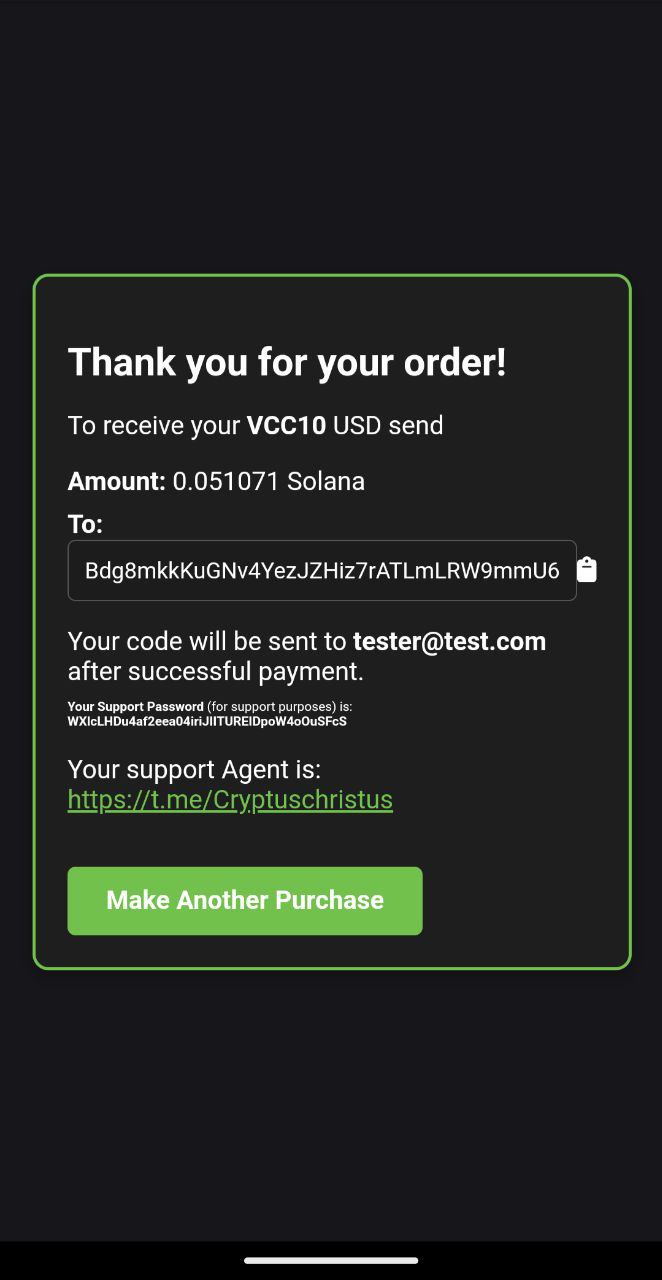
- Telegram: The bot sends payment instructions in the chat (amount, address, network, memo if any). Send the exact amount on the correct network to the address given.
- Web: The app shows the payment details (amount, network, address, memo if any). Send the exact amount from your wallet. The page may poll for status until the payment is detected.
Keep the app or bot chat open until you see that the order is accepted or the next step is shown.
5. Get your card
- You’ll receive a redeem link or code by email (usually within a few minutes). Open the link or use the code on the redemption page to activate your card.
- Tip: Disable adblockers, VPN, and Tor when opening the redemption link so the page loads correctly.
6. Use your card
- Add the card to Google Pay, Apple Pay, or use the card details where cards are accepted. When the balance runs out, you can order a new card or top up if the card supports it (see My Cards in the app).
My Cards (Telegram & web)
- In the miniapp or web app, open My Cards (or Your Cards) to see your virtual cards.
- Tap a card and Details to view full card info and manage it. You can top up reloadable cards from the card details or the provider’s flow where indicated.
Bot commands (in Telegram)
Use these in the AnoCard Bot chat:
- /start — Start the bot and get your referral link.
- /status — See your referrals, how much they’ve bought, and your earned ACC.
- /withdraw — Withdraw your referral earnings (minimum applies).
- /verify — Get verified (e.g. hold at least $50 ACC) to unlock cheaper VCC prices and fees.
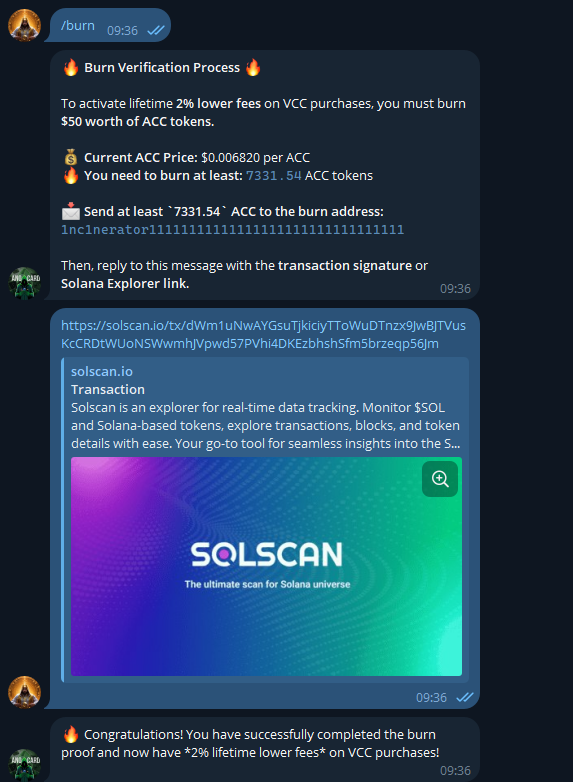
- /burn — Burn ACC once to get a permanent discount on VCC fees.
Example screenshots

Ready to get a VCC with crypto and no KYC?
Open AnoCard on Telegram or use the web app and try it.
For referral earnings and payouts, see AnoCard Referral system.